ضبط بريد التجمع في Outlook
To configure your MakkahHC email in outlook, please do the following:
Note: You have to login at least once to https://mail.makkahhc.sa/owa using the password sent to you via email, and change it.
First case, if you have Outlook already configured with any email:
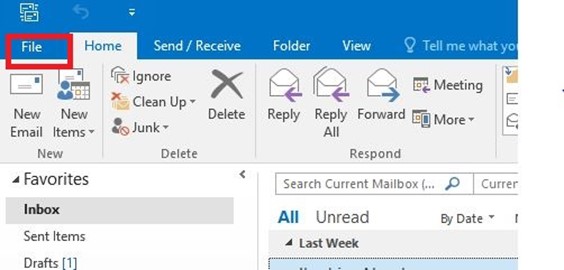
1- Click on File
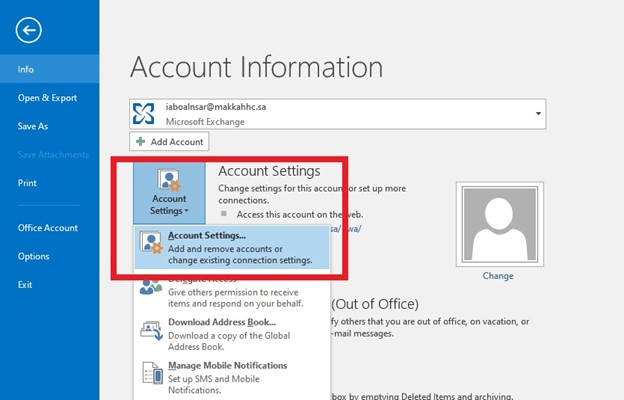
2- Click on Account Settings – Account Settings…
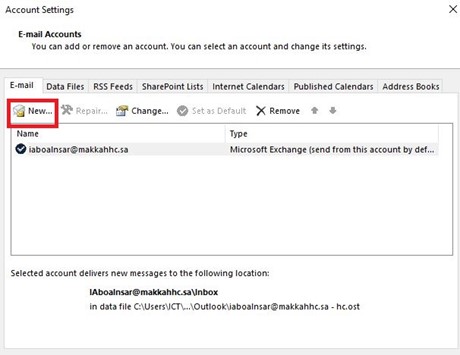
3- On the “Account Settings" window, click on New
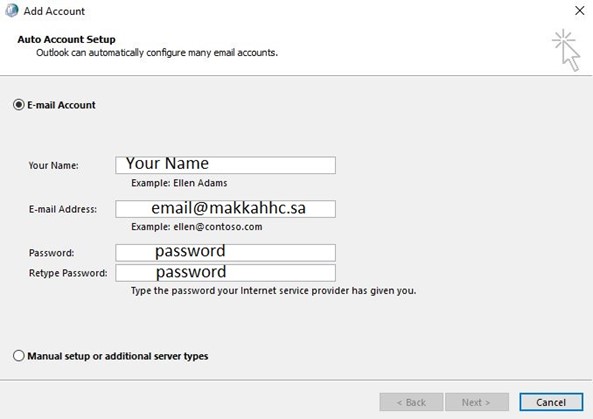
4- Type in your information
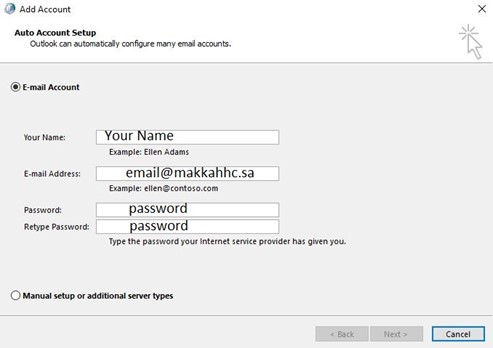
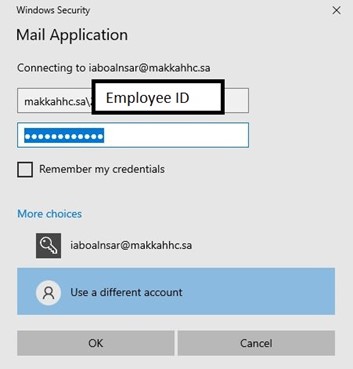
5- In the “Windows Security" prompt, click on “More Choices", then “Use a different account"
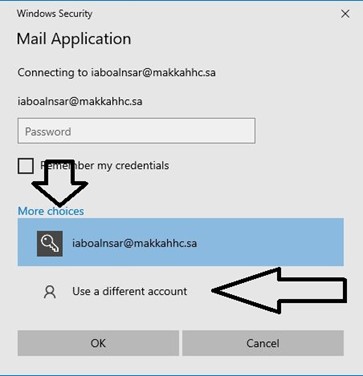
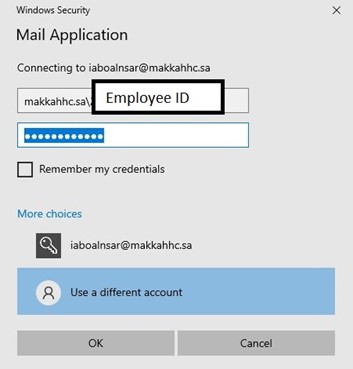
6- In the username filed, type makkahhc\EmployeeID (for example: makkahhc\203040), and your password.
Second case: If you do not have any email configured in Outlook:
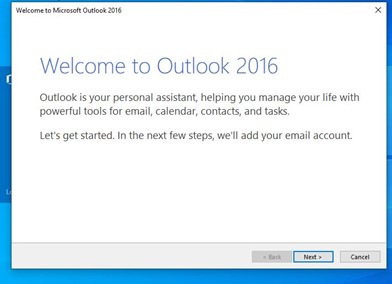
1- Start Microsoft Outlook from Start menu or desktop shortcut
2- Click on Next
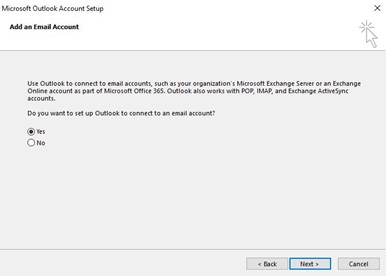
3- Make sure “Yes" is selected, Click on Next
4- Fill in your details
5- Click In the “Windows Security" prompt, click on “More Choices", then “Use a different account"
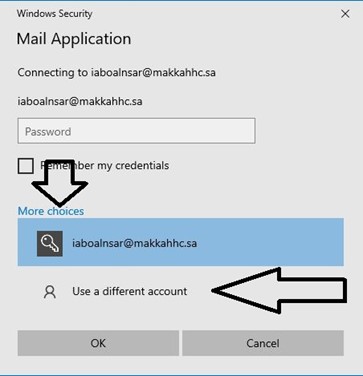
6- In the username filed, type makkahhc\EmployeeID (for example: makkahhc\203040), and your password.
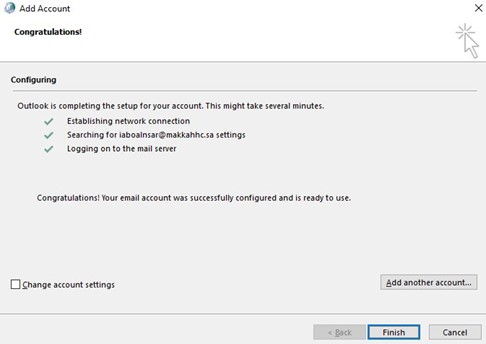
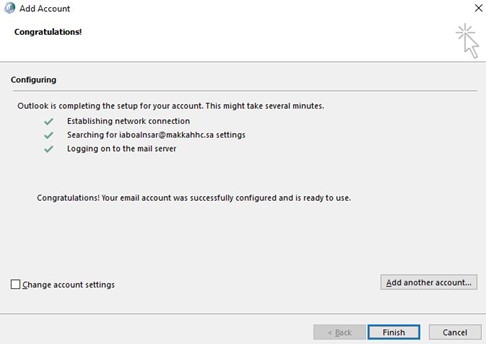
7- Click on Finish